https://docs.isaacsim.omniverse.nvidia.com/5.1.0/ros2_tutorials/tutorial_ros2_publish_rate.html
ROS2 Setting Publish Rates — Isaac Sim Documentation
For each sensor topic, their rates are factors of the maximum simulation FPS (according to the execution steps that we defined earlier). The file that contains all of the steps in this tutorial can be opened by going to the Isaac Sim Content browser and cl
docs.isaacsim.omniverse.nvidia.com
1. isaac sim content에서 turtlebot simple room을 연다.
- Isaac Sim > Samples > ROS2 > Scenario > turtlebot_tutorial.usd

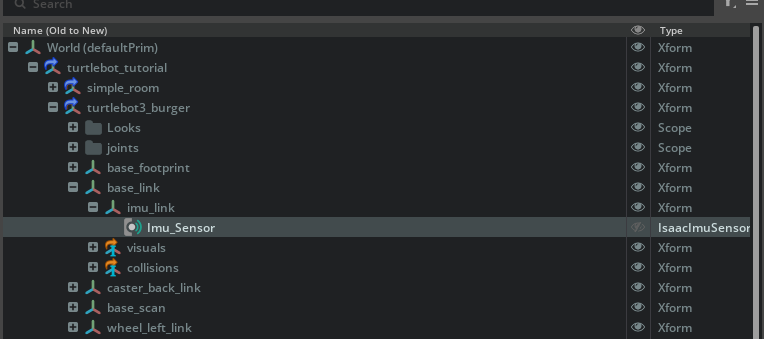
2. /World/turtlebot3_burger/base_link/imu_link prim을 선택한 다음, Create > Sensors > Imu Sensor로 IMU 센서를 생성한다.
3. action graph를 아래와 같이 생성한다.

4. isaac simulation gate노드의 property탭에서, step값을 2로 설정한다.
- step이 2라는것은, downstream노드들이 한 프레임씩 건너뛰며( 2프레임마다 ) tick 된다는 의미이다.

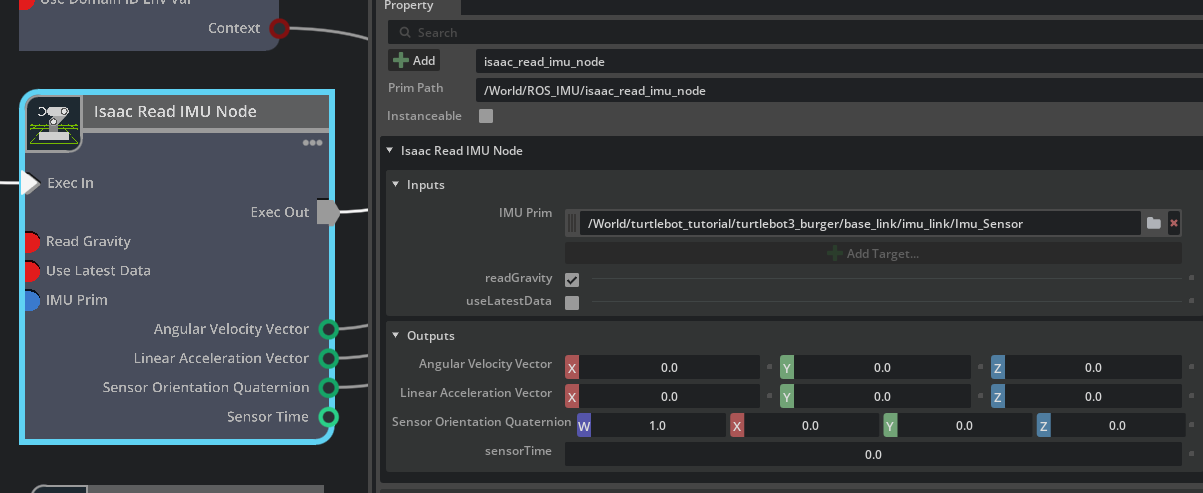
5. isaac simulation gate노드의 property탭
- 해당 탭에서 inputs에 아래 사진과 같이 imu_sensor를 받을수있게 한다.
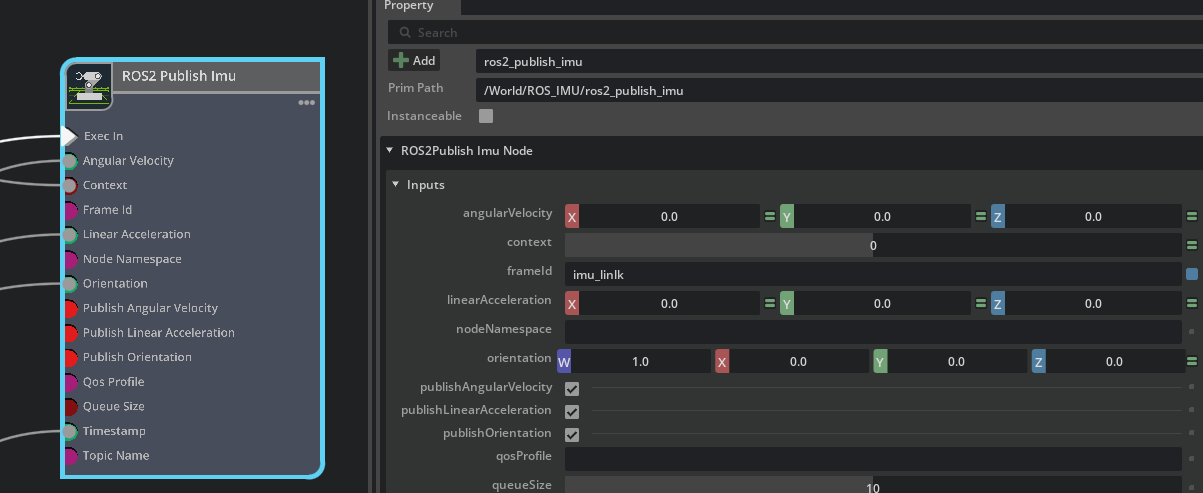
6. ros2 publish imu 노드의 property탭
- frameid를 imu_link로 설정한다.
'코딩 및 기타' 카테고리의 다른 글
| [isaac sim] ROS2 tutorials 8 (0) | 2026.03.05 |
|---|---|
| [isaac sim] ROS2 tutorials 7 (0) | 2026.03.04 |
| [tello] (0) | 2026.03.03 |
| [isaac sim] [node]Differential controller , Articulation Controller , issac read simulation time , isaac simulation gate (0) | 2026.02.28 |
| [isaac sim] [node] on playback tick , ros2 context , subscribe twist , scale to stage units (0) | 2026.02.26 |