Building a visual robot model from scratch — ROS 2 Documentation: Jazzy documentation
The body is now blue. We’ve defined a new material called “blue”, with the red, green, blue and alpha channels defined as 0,0,0.8 and 1 respectively. All of the values can be in the range [0,1]. This material is then referenced by the base_link’s v
docs.ros.org
빨간색은 x축 , 초록색은 y축 , 파란색은 z축
goal
- Rviz에서 볼 수 있는 로봇 모델을 어떻게 build하는지 알아본다.
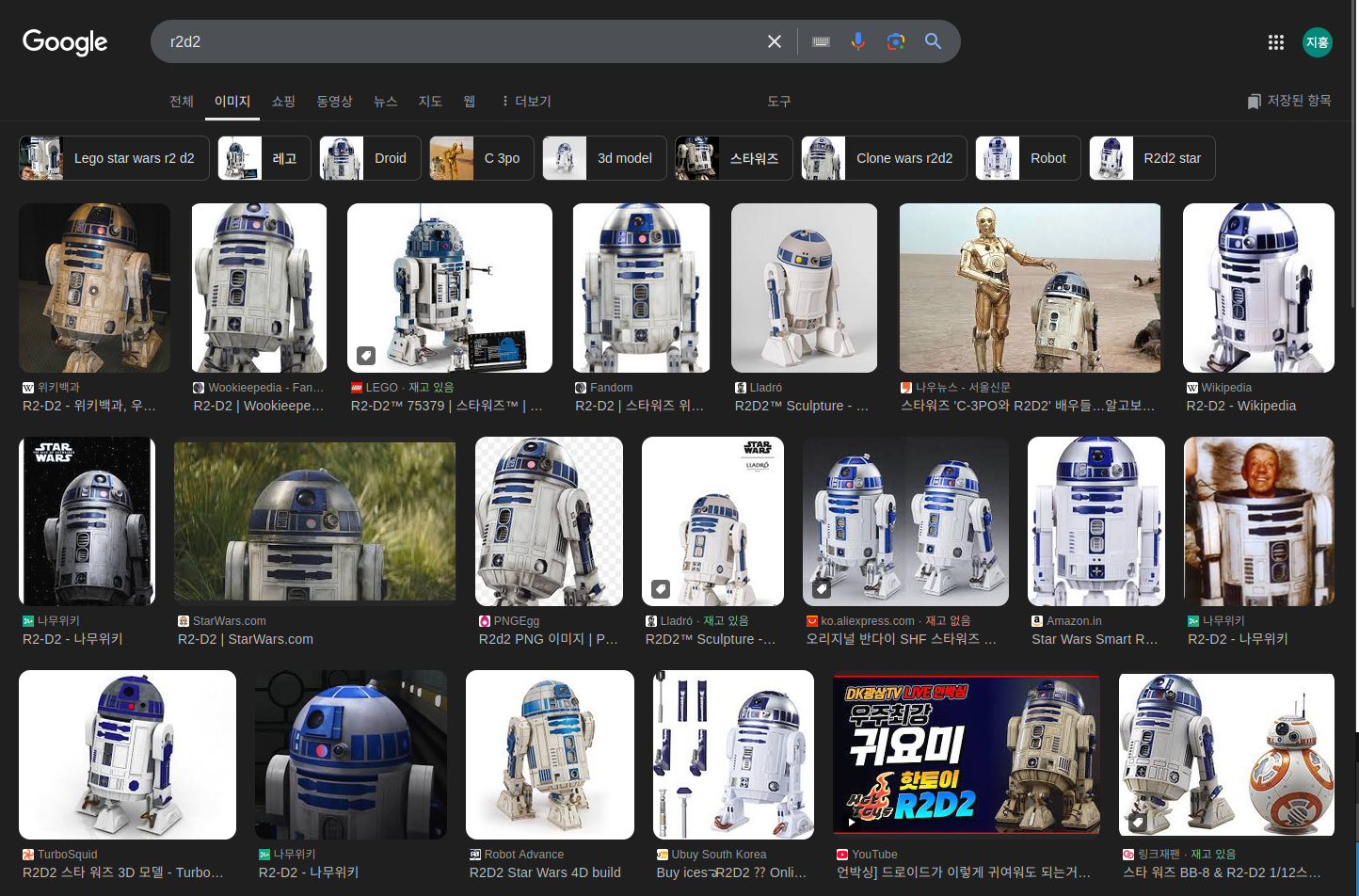
- 이번 튜토리얼에서는 R2D2와 같이 생긴 로봇을 만들어 볼것이다.
- 그리고 나중의 튜토리얼에서는 이 모델에 대해서 physical properites를 추가해보고, xacro를 이용해서 코드를 생성해볼것이다.
하지만 지금은 기하학에 맞춰서 올바르게 시각화하는 것에 집중해볼 것이다.
- 그리고 나중의 튜토리얼에서는 이 모델에 대해서 physical properites를 추가해보고, xacro를 이용해서 코드를 생성해볼것이다.
- 우선 이를 위해서 joint_State_publisher가 설치되어 있어야한다.

one shape
- 1. 우선, 우리는 하나의 간단한 shape을 만들어 볼것이다.
- 아래는 간단한 urdf이다. https://jihong.tistory.com/530
- 로봇의 이름은 myfirst이다. 이는 하나의 link만 가지고 있다.
visual 컴포넌트에서 실린더 모양으로 length=0.6 radius=0.2로 설정하였다.
- 로봇의 이름은 myfirst이다. 이는 하나의 link만 가지고 있다.
- 아래는 간단한 urdf이다. https://jihong.tistory.com/530
<?xml version="1.0"?>
<robot name="myfirst">
  <link name="base_link">
    <visual>
      <geometry>
        <cylinder length="0.6" radius="0.2"/>
      </geometry>
    </visual>
  </link>
</robot>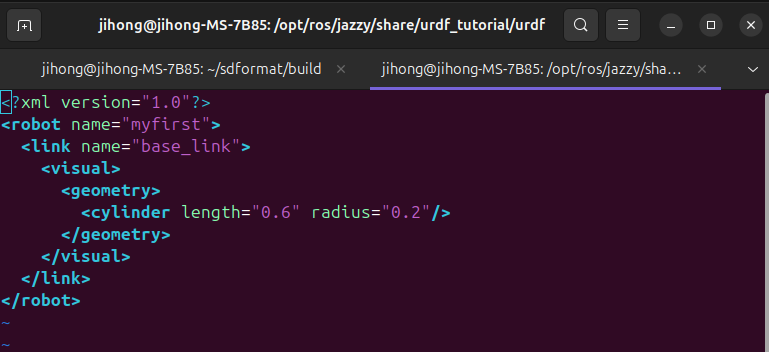
- 2. 아래의 명령어로 모델을 시험해보자.
- ros2 launch
- urdf_tutorial : 패키지의 이름 명시. ros2는 패키지 인덱스를 참조하여 share디렉토리 안에서 해당 폴더를 찾음
- display.launch.py : urdf모델을 시각화하기 위해서 작성된 launch파일이다.
- model:=urdf/01-myfirst.urdf
- launch파일에 전달되는 인자이며, model이라는 launch인자 값에 urdf/01-myfirst.urdf을 할당
ros2 launch urdf_tutorial display.launch.py model:=urdf/01-myfirst.urdf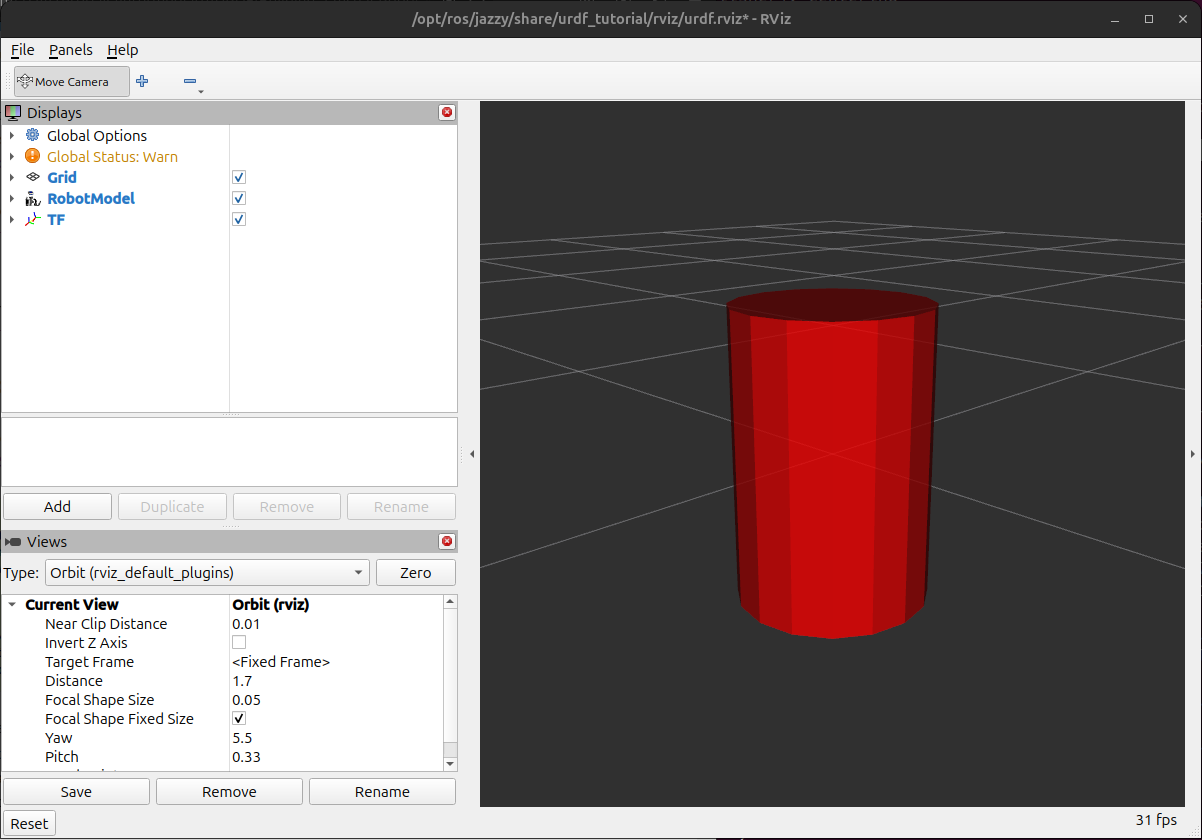
- 3. 아래 명령어도 실행
- 그러면 아래와 같은 모델이 나온다.
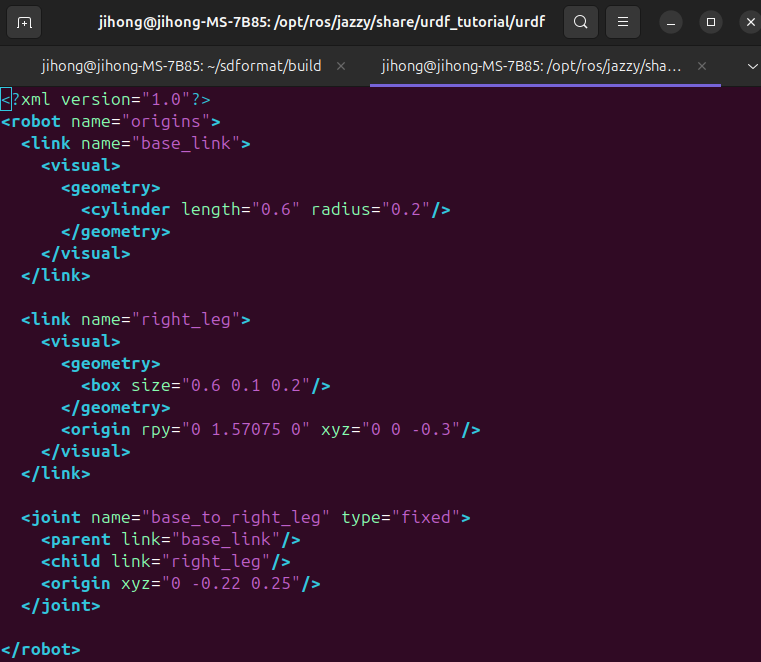
- 위와 다르게 right_leg라는 링크가 생겼다.
- base_to_right_leg joint로 2개의 링크가 연결된다.
- parent는 base_link이며, child는 right_leg이다.
parent가 고정된 위치에 존재하며, 여기에 right_leg가 parent link에 부착된다.- 즉, base_link에 right_leg가 연결됨.
- parent는 base_link이며, child는 right_leg이다.
- 그러면 아래와 같은 모델이 나온다.


- 4. 이번에도 명령어 입력하자.
- 위와 바뀐것은 joint와 child에 origin태그가 추가되었다. ( origin은 관절의 상대적인 위치와 회전을 정의 )
- rpy( roll , pitch , yaw )와 xyz( translation )의 차이
- rpy는 회전(rotation)을 나타내는 오일러 각( euler angle )이다.
각각 x,y,z 축을 기준으로 회전하는 각도이다.- Roll ( x축 회전 ) : 좌우 기울기
- Pitch ( y축 회전 ) : 상하 기울기
- Yaw ( z축 회전 ) : 좌우 방향 전환
- xyz는 이동(translation)을 나타내는 값이며, 3D공간에서 위치(position)를 정의한다.
- ==> rpy는 회전을 나타내며, 회전 각도를 사용해서 객체가 어떻게 회전할지 정의하며, xyz는 위치를 나타내며 객체가 어디에 위치할지를 정의
- rpy는 회전(rotation)을 나타내는 오일러 각( euler angle )이다.
- right_leg의 origin
- rpy는 link가 parent link에 대해서 회전하는 값을 설정함. rpy는 roll , pitch , yaw(회전각도)이다.
- roll 0은 x축을 기준으로 회전이 0으로 설정되어 있으니 회전이 없다는 것을 의미.
- pitch는 y축을 기준으로 90도 회전 설정이 되어있다. 즉, right_leg가 parent에 대해서 y축 기준으로 90도 회전함.
- yaw 0은 z축을 기준으로 0도 회전이다.
- rpy는 link가 parent link에 대해서 회전하는 값을 설정함. rpy는 roll , pitch , yaw(회전각도)이다.
ros2 launch urdf_tutorial display.launch.py model:=urdf/03-origins.urdf
- 5. 이것도 입력
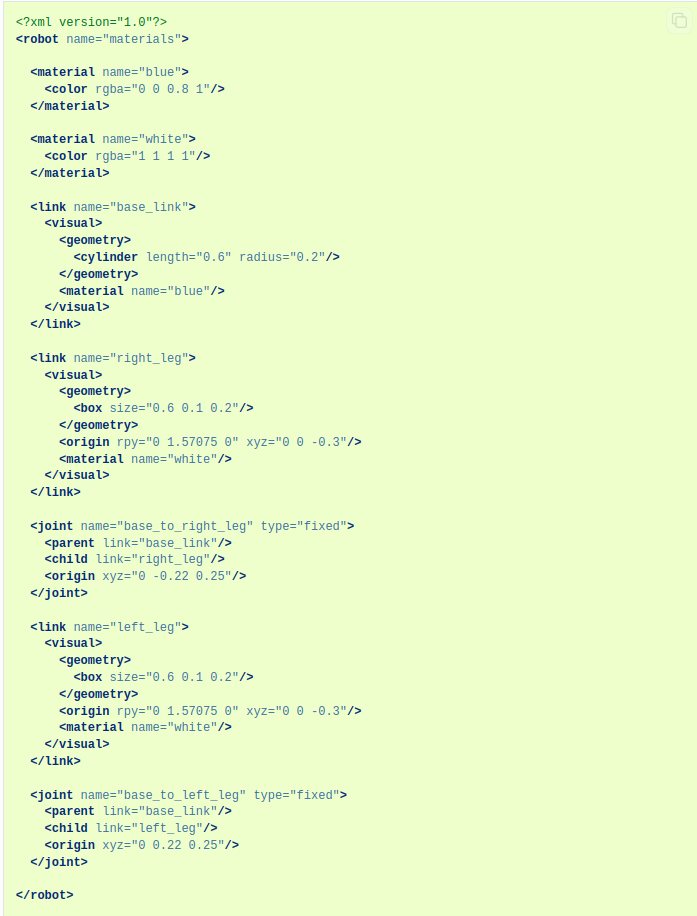
- 보면 위와 다르게 왼쪽 다리가 추가됨을 볼수있다.
ros2 launch urdf_tutorial display.launch.py model:=urdf/04-materials.urdf
- 6. 이것도 입력
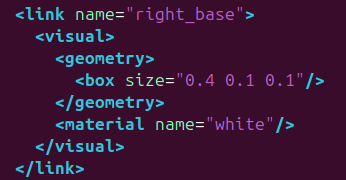
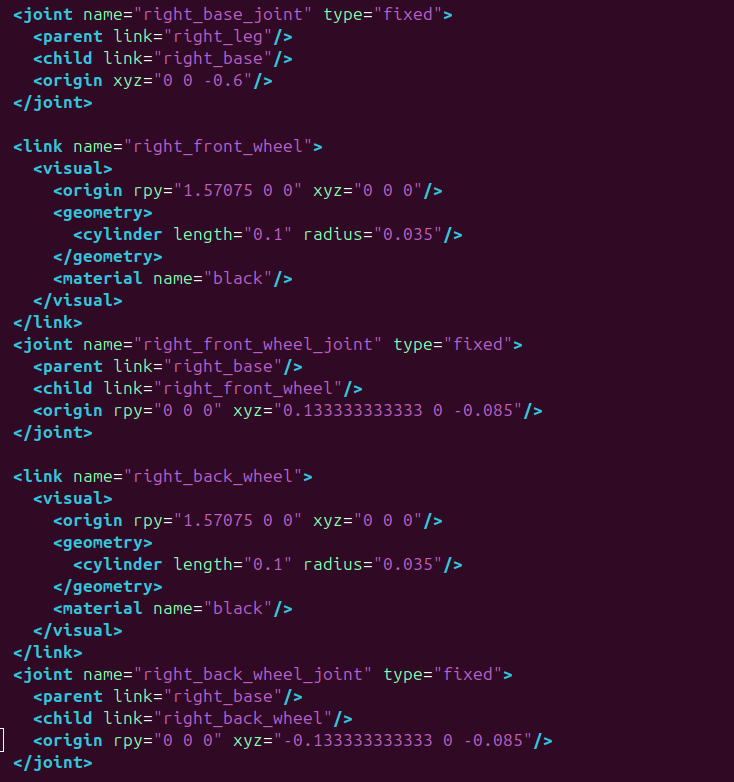
- 아래 코드는 오른쪽 부분에 대해서만 더 추가된 부분
- 코드 블럭은 머리와 글리퍼에 대해서 추가된 부분
ros2 launch urdf_tutorial display.launch.py model:=urdf/05-visual.urdf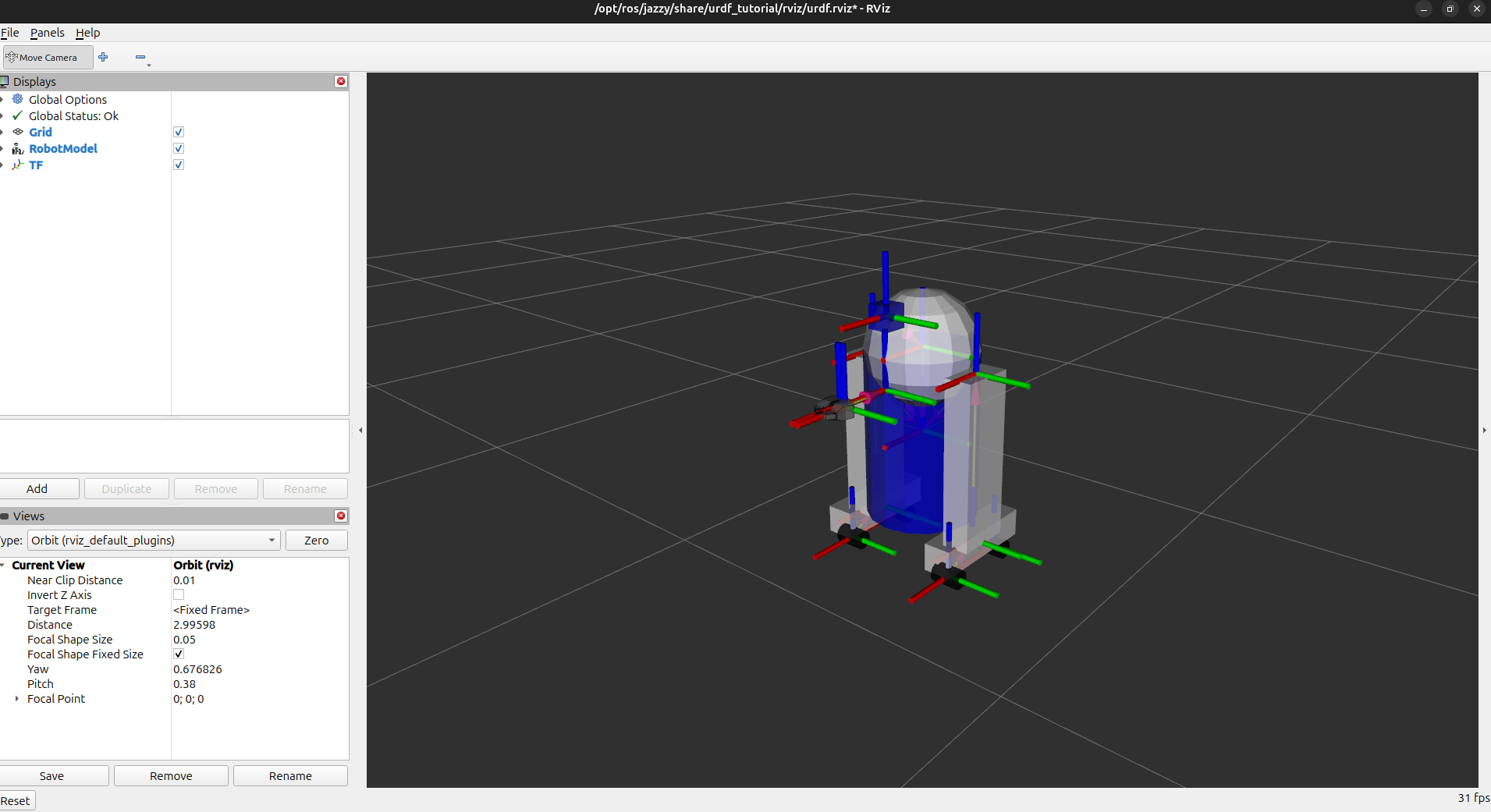
  <joint name="gripper_extension" type="fixed">
    <parent link="base_link"/>
    <child link="gripper_pole"/>
    <origin rpy="0 0 0" xyz="0.19 0 0.2"/>
  </joint>

  <link name="gripper_pole">
    <visual>
      <geometry>
        <cylinder length="0.2" radius="0.01"/>
      </geometry>
      <origin rpy="0 1.57075 0 " xyz="0.1 0 0"/>
    </visual>
  </link>

  <joint name="left_gripper_joint" type="fixed">
    <origin rpy="0 0 0" xyz="0.2 0.01 0"/>
    <parent link="gripper_pole"/>
    <child link="left_gripper"/>
  </joint>

  <link name="left_gripper">
    <visual>
      <origin rpy="0.0 0 0" xyz="0 0 0"/>
      <geometry>
        <mesh filename="package://urdf_tutorial/meshes/l_finger.dae"/>
      </geometry>
    </visual>
  </link>

<joint name="left_tip_joint" type="fixed">
    <parent link="left_gripper"/>
    <child link="left_tip"/>
  </joint>

  <link name="left_tip">
    <visual>
      <origin rpy="0.0 0 0" xyz="0.09137 0.00495 0"/>
      <geometry>
        <mesh filename="package://urdf_tutorial/meshes/l_finger_tip.dae"/>
      </geometry>
    </visual>
  </link>
  <joint name="right_gripper_joint" type="fixed">
    <origin rpy="0 0 0" xyz="0.2 -0.01 0"/>
    <parent link="gripper_pole"/>
    <child link="right_gripper"/>
  </joint>

  <link name="right_gripper">
    <visual>
      <origin rpy="-3.1415 0 0" xyz="0 0 0"/>
      <geometry>
        <mesh filename="package://urdf_tutorial/meshes/l_finger.dae"/>
      </geometry>
    </visual>
  </link>

  <joint name="right_tip_joint" type="fixed">
    <parent link="right_gripper"/>
    <child link="right_tip"/>

  <link name="right_tip">
    <visual>
      <origin rpy="-3.1415 0 0" xyz="0.09137 0.00495 0"/>
      <geometry>
        <mesh filename="package://urdf_tutorial/meshes/l_finger_tip.dae"/>
      </geometry>
    </visual>
  </link>

  <link name="head">
    <visual>
      <geometry>
        <sphere radius="0.2"/>
      </geometry>
      <material name="white"/>
    </visual>
  </link>
  <joint name="head_swivel" type="fixed">
    <parent link="base_link"/>
    <child link="head"/>
    <origin xyz="0 0 0.3"/>
  </joint>

  <link name="box">
    <visual>
      <geometry>
        <box size="0.08 0.08 0.08"/>
      </geometry>
      <material name="blue"/>
    </visual>
  </link>

  <joint name="tobox" type="fixed">
    <parent link="head"/>
    <child link="box"/>
    <origin xyz="0.1814 0 0.1414"/>
</joint>'ROS 2' 카테고리의 다른 글
| URDF : Adding physical and collision properties (0) | 2025.02.04 |
|---|---|
| URDF : Building a movable robot model (0) | 2025.02.03 |
| URDF란? (1) | 2025.02.03 |
| ROS 2 Tutorials : Writing a simple service and client (Python) (0) | 2025.01.15 |
| ROS 2 Tutorials : Writing a simple publisher and subscriber ( python ) (0) | 2025.01.14 |