https://docs.isaacsim.omniverse.nvidia.com/5.1.0/ros2_tutorials/tutorial_ros2_turtlebot.html
URDF Import: Turtlebot — Isaac Sim Documentation
URDF Import: Turtlebot NVIDIA Isaac Sim has several tools to facilitate integration with ROS systems. There is the ROS2 bridge, a method to import URDF, and much more. This tutorial series gives examples of how to use these tools. Learning Objectives In th
docs.isaacsim.omniverse.nvidia.com
1. 환경을 불러올거임. create --> env --> simpleroom
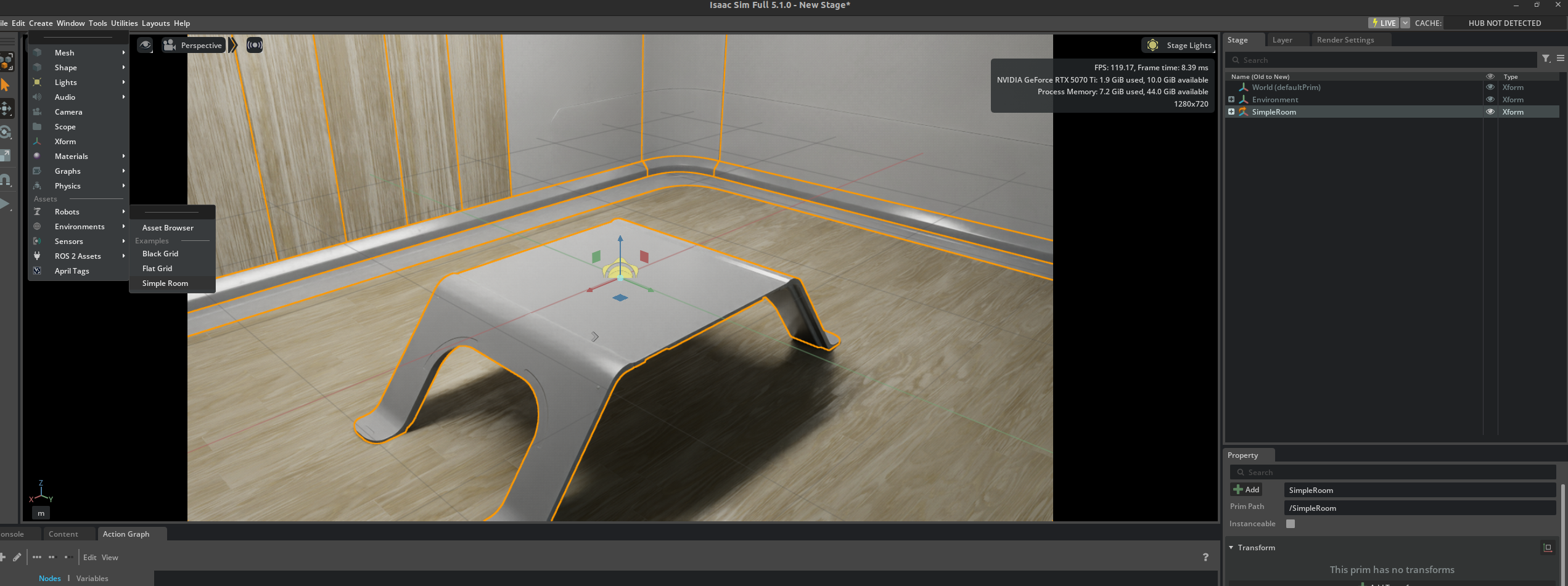
2. turtlebot을 불러올 거임.
file --> import에서 tb3_burger_processed.urdf를 선택
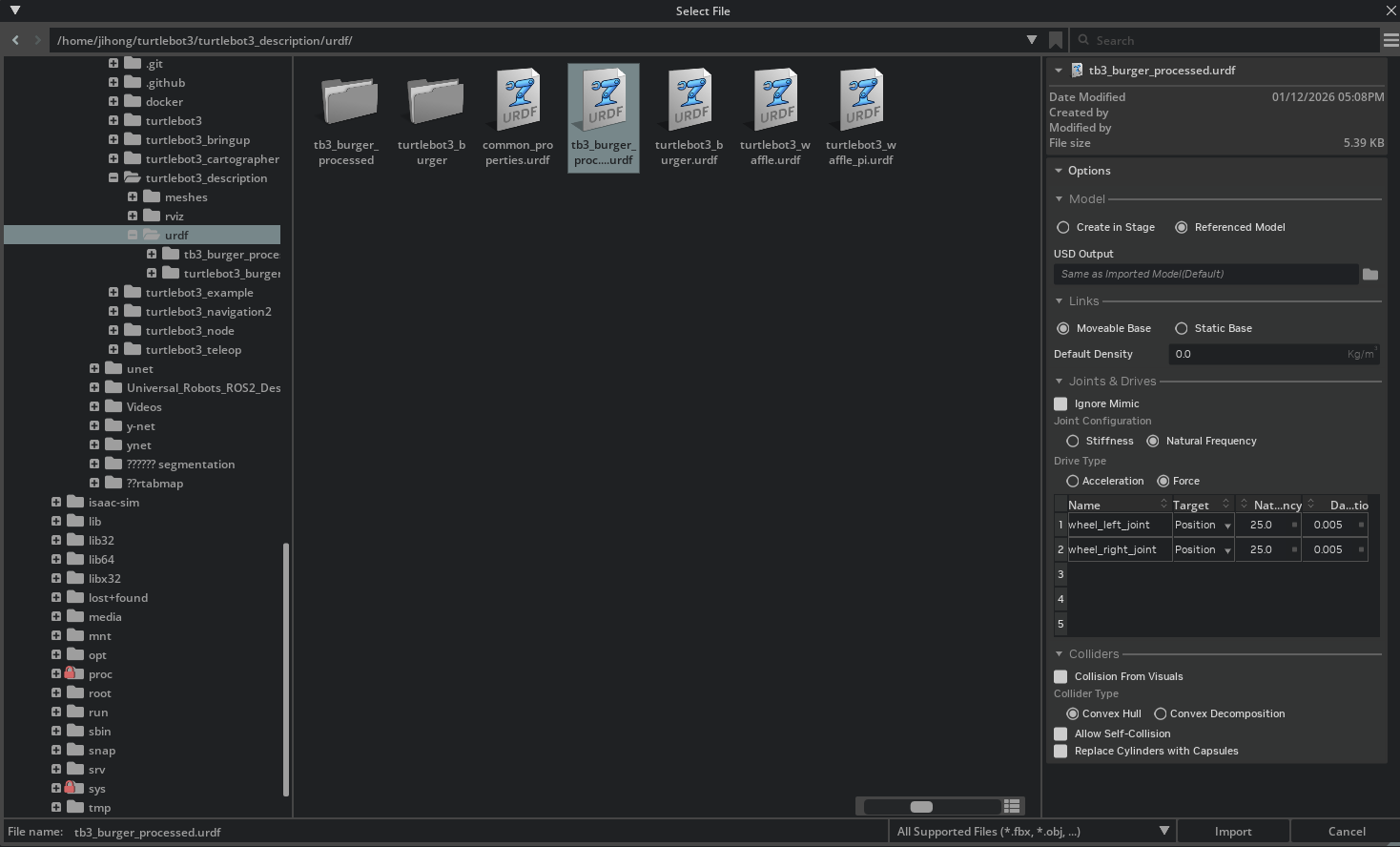

3.그리고 대충 위치를 바닥으로 가져오자.
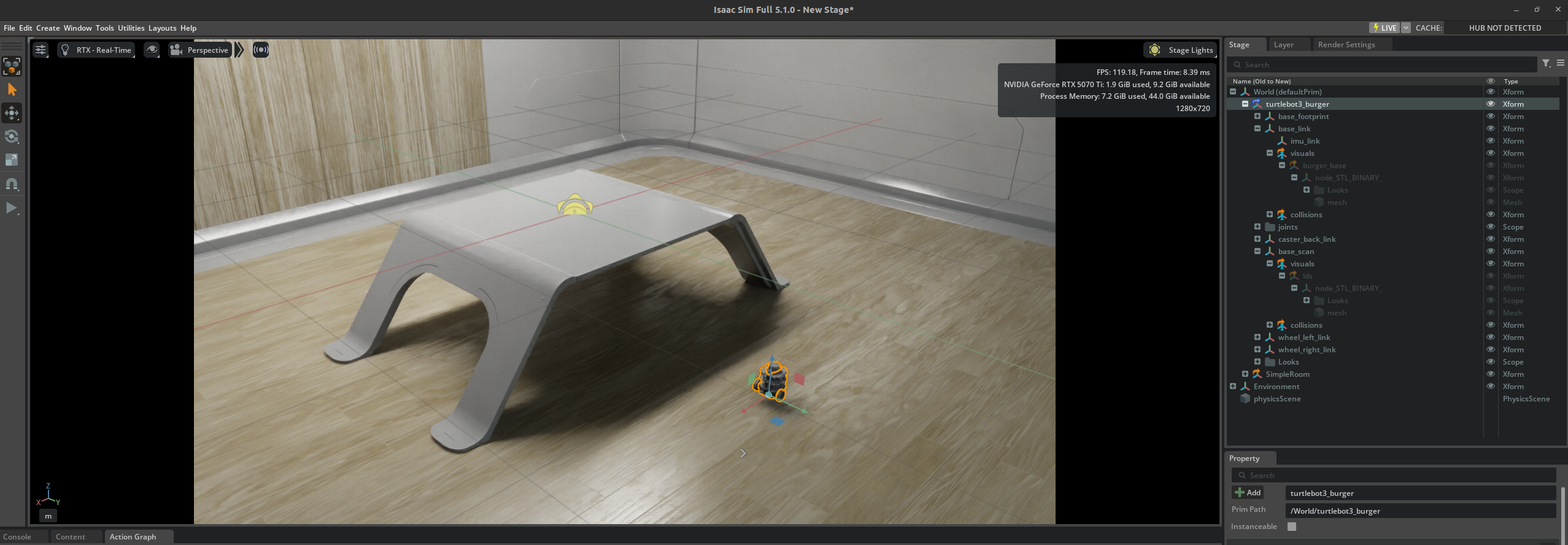
4. 다음과 같이 actionGraph를 구성하자.

5. 다음과 같이 연결.

6. ROS2 Subsribe Twist에서 topic name을 수정
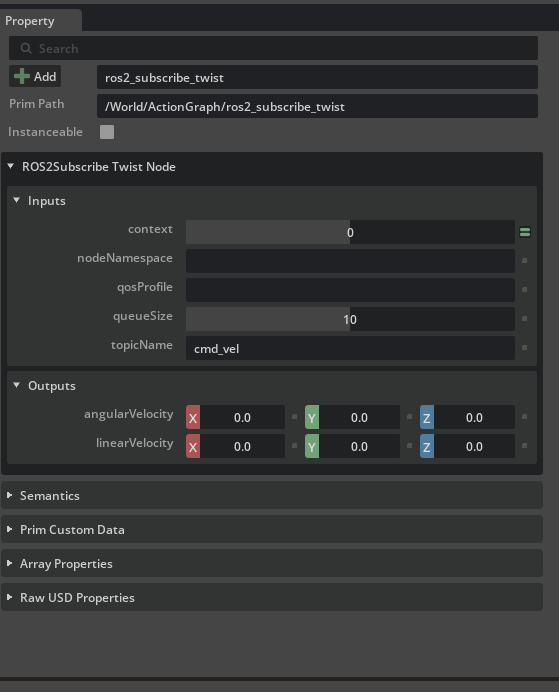
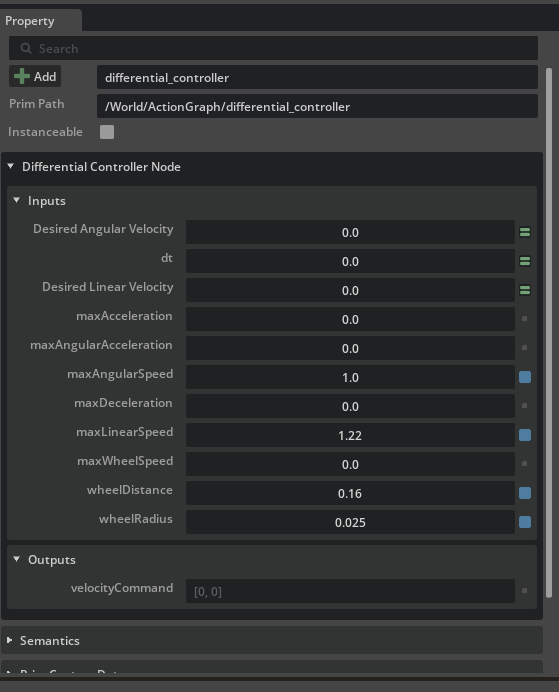
7. Differential Controller를 아래와 같이 수정
8. constant token을 아래와 같이 수정


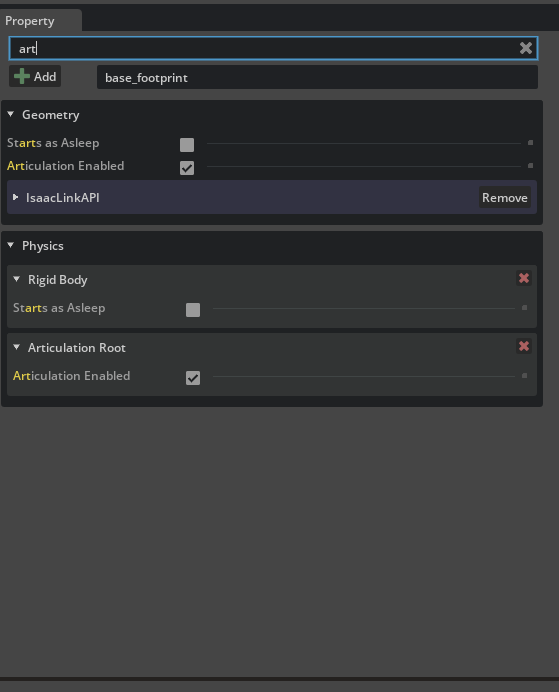
9. tuetlebot의 base_footprint에서 articulation root를 제거하자.
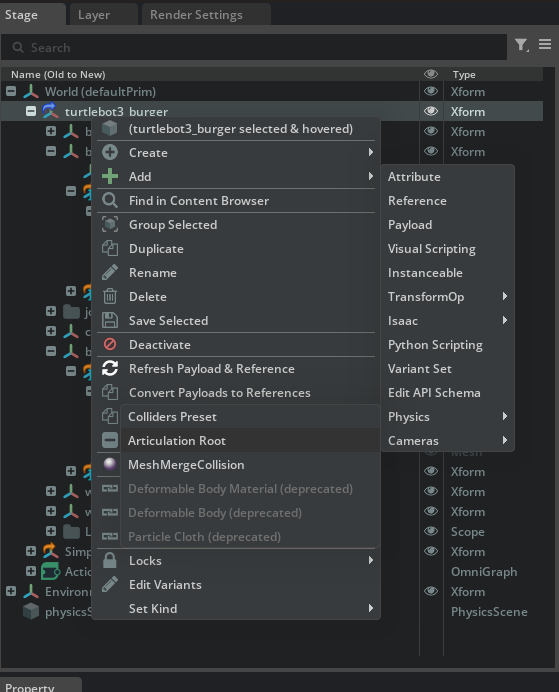
10. turtlebot의 최상단에 articulation root를 추가
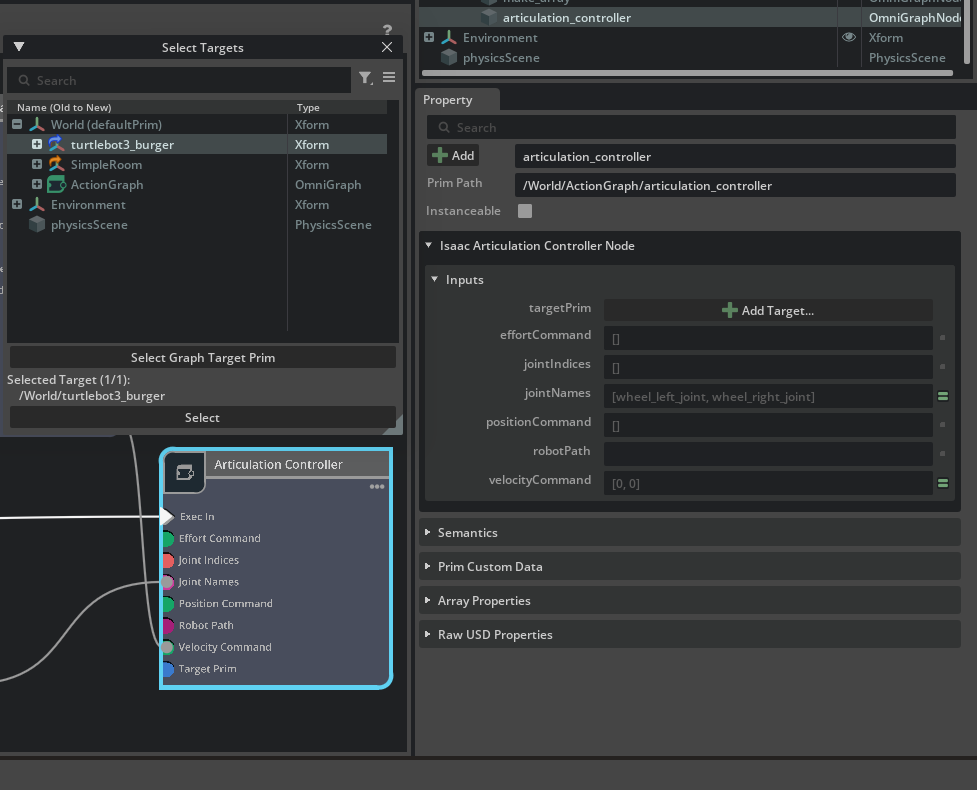
11. articulation controller에서 target prim을 turtlebot3로 해준다.
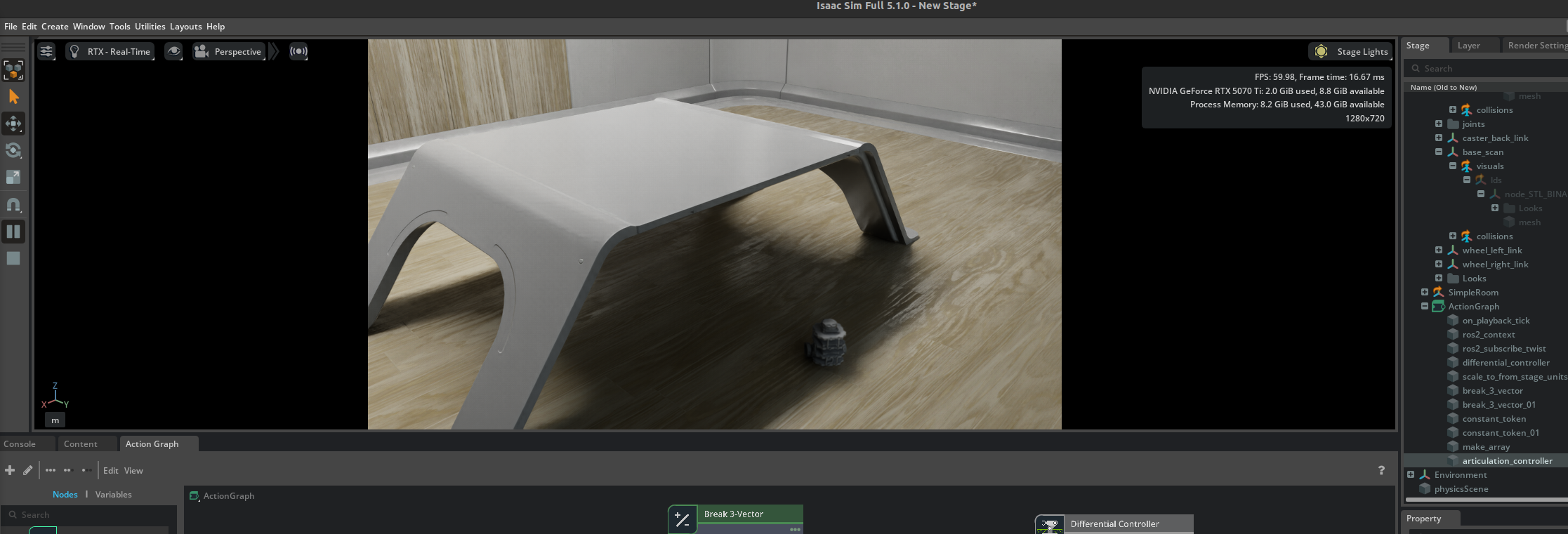
12. 재생버튼을 누른후에 아래 명령어를 입력하면 로봇이 움직임.
ros2 topic pub /cmd_vel geometry_msgs/Twist "{'linear': {'x': 1.0 , 'y': 0.0, 'z': 0.0}, 'angular': {'x': 0.0, 'y': 0.0, 'z': 0.0}}"
https://docs.isaacsim.omniverse.nvidia.com/5.1.0/ros2_tutorials/tutorial_ros2_clock.html
ROS 2 Clock — Isaac Sim Documentation
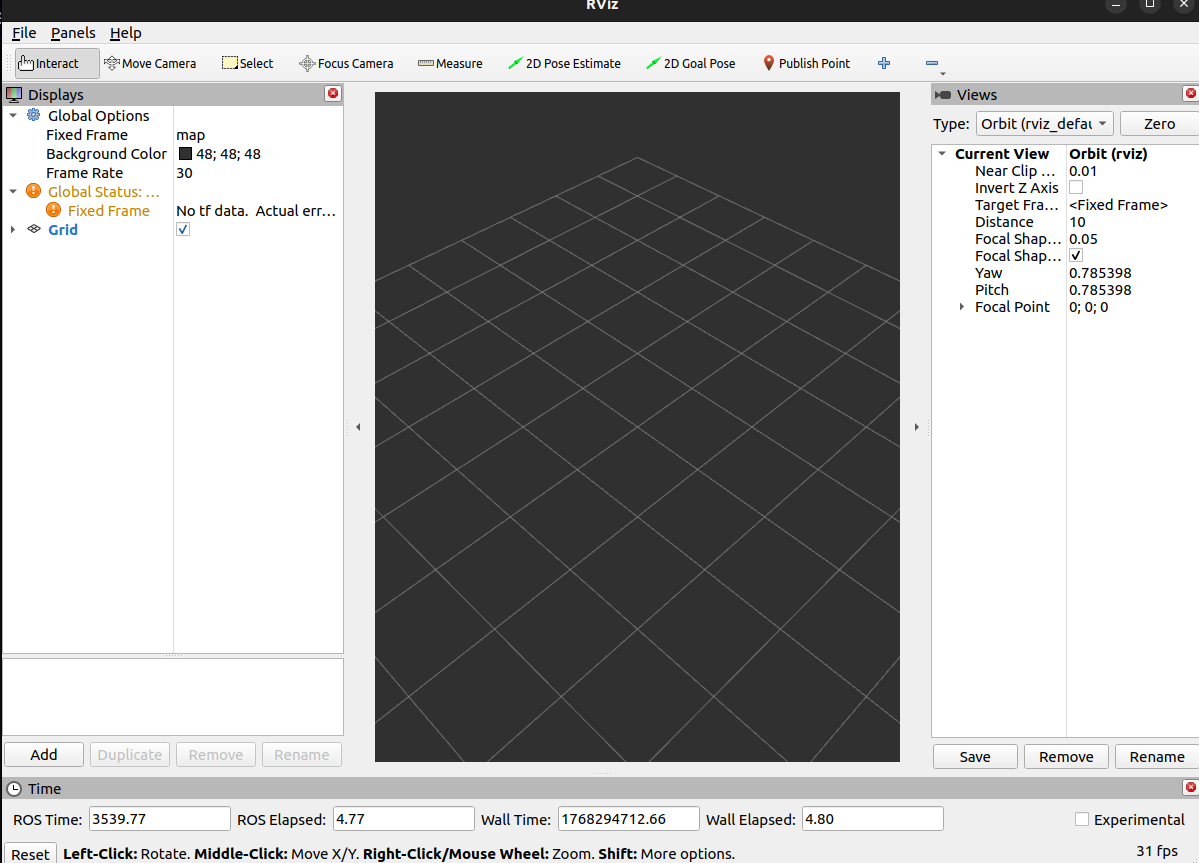
Take note of the ROS Time and ROS Elapsed times listed in the bottom of the RViz window. These are currently displaying the wall time and, typically, match the Wall Time and Wall Elapsed fields.
docs.isaacsim.omniverse.nvidia.com
이 튜토리얼은 시간 관련된 내용이다.
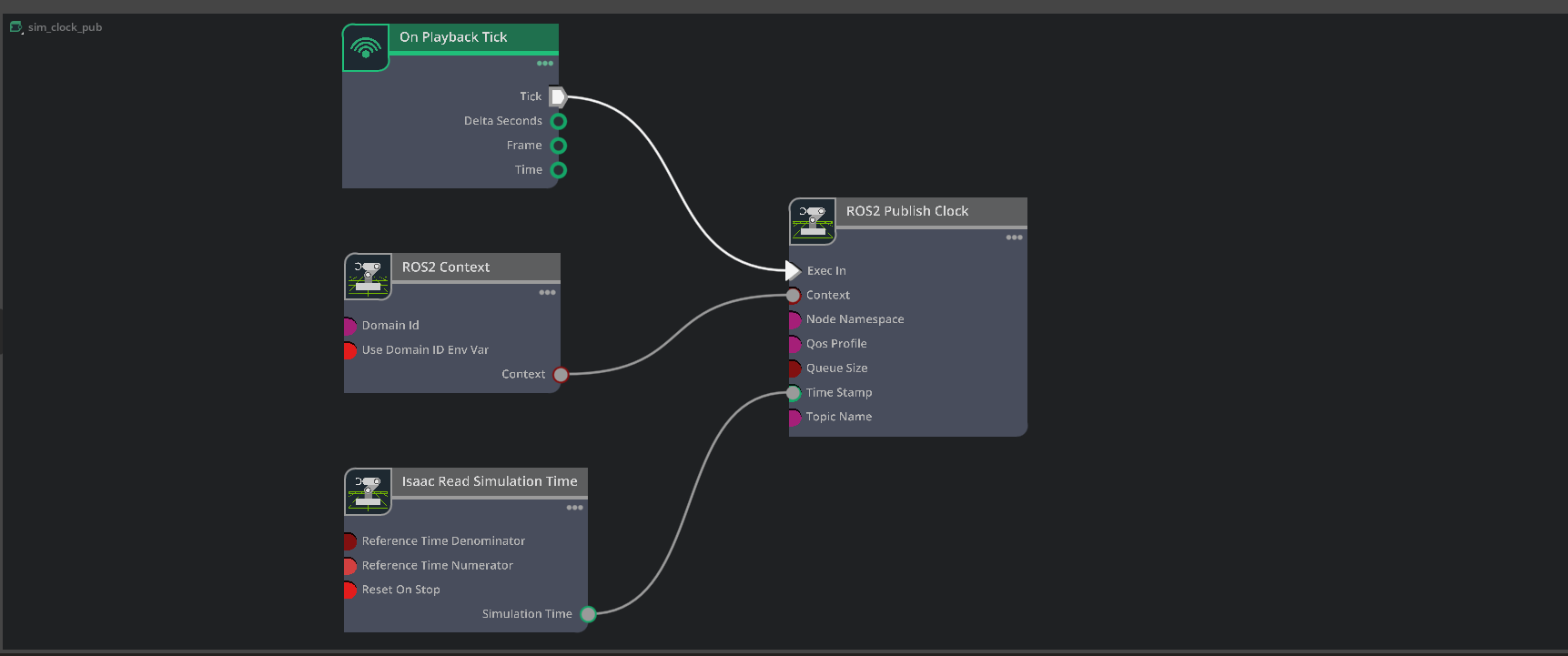
1. 다음과 같이 action graph를 구성하자.
2. 그리고 rviz를 실행
- ros2 run rviz2 rviz2
- 그러면 아래에 ros time이 뜰 것이다.

3. 아래의 명령어를 입력해서, 시뮬레이터 시간을 sim time기준으로 설정하자.
- ros2 param set /rviz use_sim_time true
- 그러면 ros시간이 바뀐것을 확인할 수 있음
1. 이번엔 ROS 2의 /clock 토픽을 Isaac Sim 쪽에서 구독해서 ‘외부 시간이 제대로 들어오는지’ 확인하는것

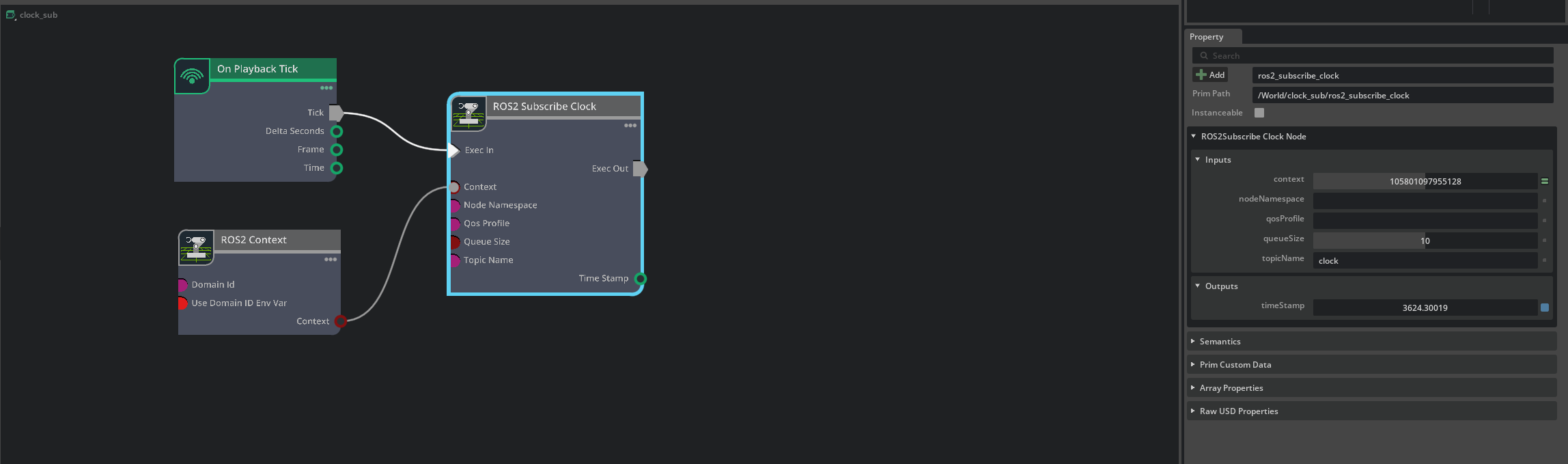
2. 그래프를 다음과 같이 설정
3. 아래를 입력
- ros2 topic pub -t 1 /clock rosgraph_msgs/Clock "clock: { sec: 1, nanosec: 200000000 }"
4. 그러면 Isaac Sim의 timeStamp가 1.2로 변경될거임.
1. RTF = simulated_elapsed_time / real_elapsed_time
If RTF is greater than one,the simulation time is running faster than wall clock time.
If RTF is less than one, the simulation is running slower than real-time.

2. 다음과 같이 그래프를 추가
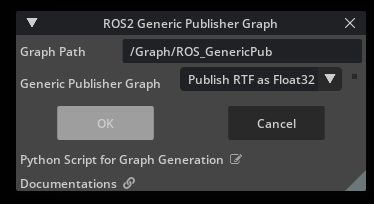
3.그러면 이런 그래프가 만들어짐.

4. 확인
ros2 topic echo /topic

'ROS 2' 카테고리의 다른 글
| isaac sim ros에서 workspace설정 (0) | 2026.01.06 |
|---|---|
| [ynet][ros] ros환경에서 작동 (0) | 2025.12.04 |
| [yolo][ros] yolo와 ros연동 시키기 (0) | 2025.11.27 |
| ros2 realsense camera image저장 (0) | 2025.11.10 |
| Q-RRT* F-RRT* 비교대상으로 정리한것 (0) | 2025.08.14 |