1. 우선 파이썬 버전으로 인해서 새로 가상 환경을 만든다...
conda create -n dinov3 python=3.11 -y

conda activate dinov3


python -m pip install ipykernel
python -m ipykernel install --user --name dinov3 --display-name "Python (dinov3)"
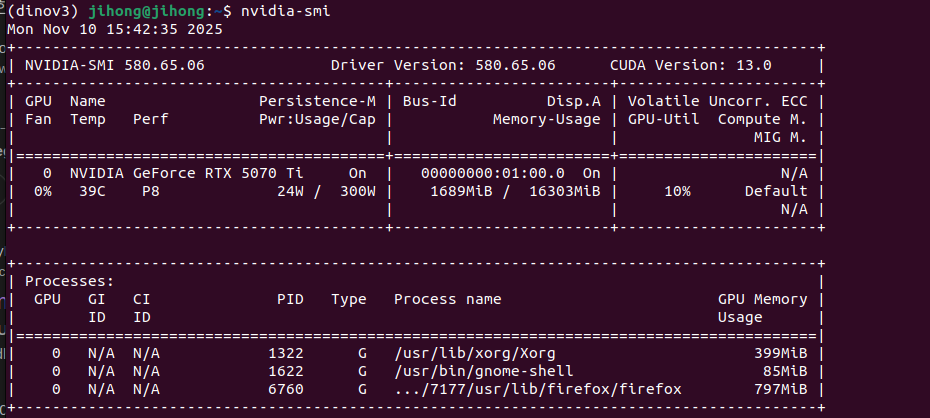
2. 나는 cuda 13.0이니 아래의 pytorch를 설치한다. ( 아래 링크에서 확인 가능 )
pip3 install torch torchvision --index-url https://download.pytorch.org/whl/cu130

pip install timm pillow

python -m pip install torchmetrics timm einops
https://pytorch.org/get-started/locally/
Get Started
Set up PyTorch easily with local installation or supported cloud platforms.
pytorch.org
3. 레포를 클론해야 한다...
git clone https://github.com/facebookresearch/dinov3
4. 모델을 불러온다.
import torch , os
import numpy as np
import torchvision.transforms.functional as TF

device = 'cuda' if torch.cuda.is_available() else 'cpu'

REPO_DIR = "/home/jihong/Downloads/dinov3"   # git clone 한 dinov3 폴더 경로
CKPT     = "/home/jihong/Downloads/Pytorch-UNet-master/dinov3_convnext_tiny.pth"  # 다운로드한 .pth 파일 경로

model = torch.hub.load(REPO_DIR, 'dinov3_convnext_tiny', source='local', weights=CKPT).to(device).eval()
'코딩 및 기타' 카테고리의 다른 글
| yolo로 '사람 추적' 및 '바운딩 박스' 좌표 저장하기 (0) | 2025.11.17 |
|---|---|
| ade20k dataset (0) | 2025.11.12 |
| [torch][warn] UserWarning: torch.meshgrid: in an upcoming release, it will be required to pass the indexing argument. (0) | 2025.11.04 |
| [torch][warn] userWarning: Creating a tensor from a list of numpy.ndarrays is extremely slow. (0) | 2025.11.04 |
| YNet train코드 (0) | 2025.10.29 |