gazebo turtlebot path planning
/opt/ros/jazzy/share/turtlebot4_navigation/config
1. 시뮬레이터 실행
ros2 launch turtlebot4_gz_bringup turtlebot4_gz.launch.py slam:=false nav2:=false rviz:=false use_sim_time:=true
2. map server를 활성화 해보자. (https://jihong.tistory.com/584 )
ros2 run nav2_map_server map_server --ros-args -p yaml_filename:=$(pwd)/my_map.yaml -p use_sim_time:=true
3. Lifecycle 상태 활성화
ros2 lifecycle set /map_server configure
ros2 lifecycle set /map_server activate
4. AMCL 노드를 활성화한다. ( 로봇 localization 을 위해서 )
- 해당 노드는 로봇의 위치를 실시간으로 추정하는 노드이다.
- 정확히는, nav2_amcl에 있는 amcl노드를 실행하면서, turtlebot4_navigation패키지의 설정 파일을 로딩하고, 시뮬레이션 시간 사용 설정을 포함해서 위치추정( localization )을 수행하게 만드는 명령이다.
- /amcl 노드는 map , scan , odom에게서 정보를 받아서 amcl_pose(로봇이 현재 어디에 있는지 )를 추정한다.
- --ros-args는 ros런타임 인자를 넘기겠다는 의미이다.
- --params-file 은 yaml파일을 로드하기 위함이다.
- AMCL는 다양한 설정이 필요하다. 그래서 이러한 설정들을 yaml에 담아둔다. ( 파티클 수 , 센서 모델 파라미터 , 초기 위치 추정 방법 , 좌표계 정보 등 )
ros2 run nav2_amcl amcl --ros-args --params-file $(ros2 pkg prefix turtlebot4_navigation)/share/turtlebot4_navigation/config/nav2.yaml -p use_sim_time:=true
4. lifecycle활성화
ros2 lifecycle set /amcl configure
ros2 lifecycle set /amcl activate
6. rviz2실행
ros2 launch nav2_bringup rviz_launch.py use_sim_time:=true
7. initial pose 설정하기
ros2 topic pub -1 /initialpose geometry_msgs/msg/PoseWithCovarianceStamped '
header:
  frame_id: "map"
pose:
  pose:
    position:
      x: 0.0
      y: 0.0
      z: 0.0
    orientation:
      x: 0.0
      y: 0.0
      z: 0.0
      w: 1.0
  covariance: [0.0, 0.0, 0.0, 0.0, 0.0, 0.0, 0.0, 0.0, 0.0, 0.0, 0.0, 0.0, 0.0, 0.0, 0.0, 0.0, 0.0, 0.0, 0.0, 0.0, 0.0, 0.0, 0.0, 0.0, 0.0, 0.0, 0.0, 0.0, 0.0, 0.0, 0.0, 0.0, 0.0, 0.0, 0.0, 0.0]'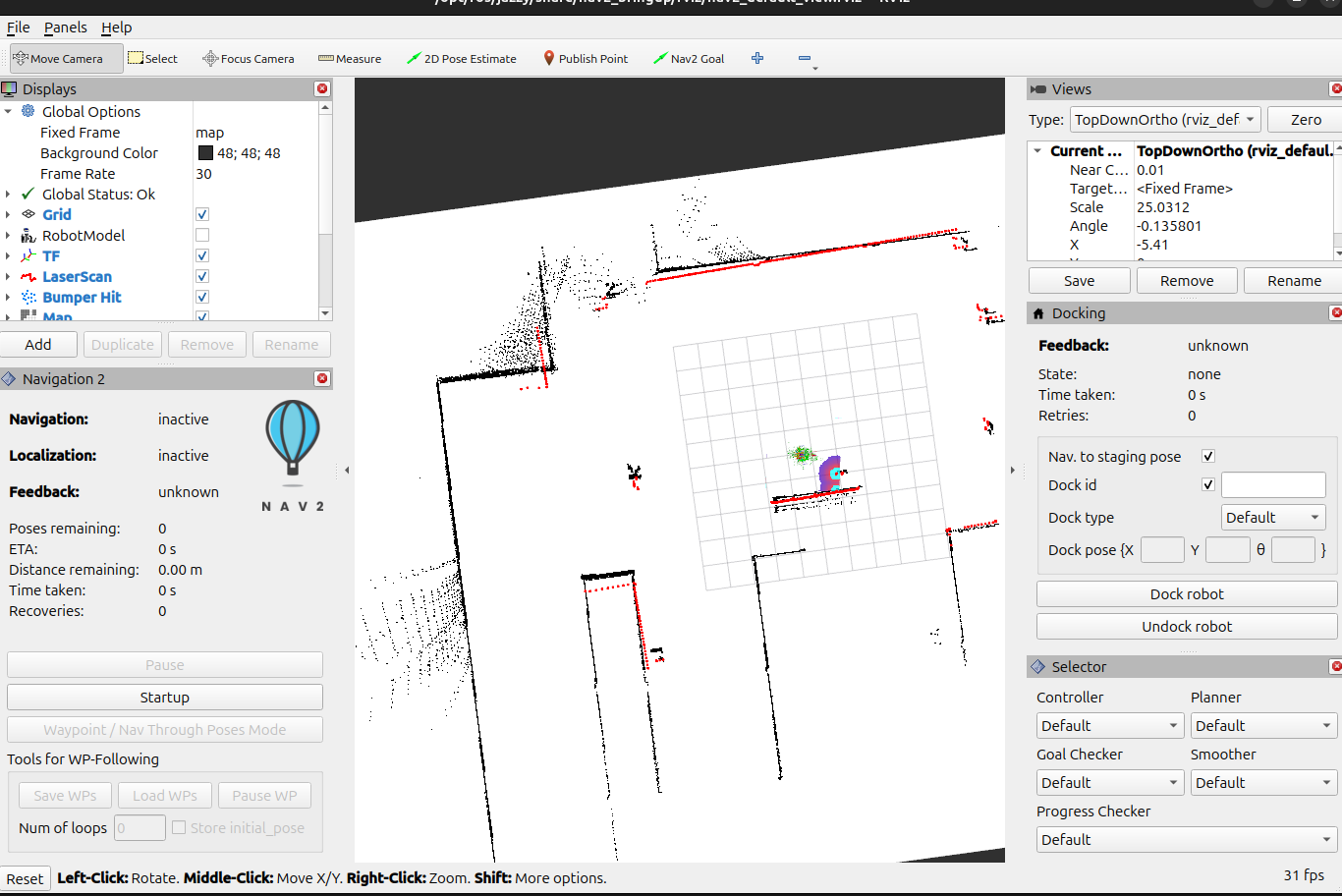
5. navigation2의 전체 노드를 실행한다.
# ros2 launch nav2_bringup navigation_launch.py map:=my_map.yaml use_sim_time:=true
8. nav2_behavior_server실행
ros2 run nav2_behaviors behavior_server --ros-args \
  --params-file $(ros2 pkg prefix turtlebot4_navigation)/share/turtlebot4_navigation/config/nav2.yaml \
  -p use_sim_time:=true


ros2 lifecycle set /behavior_server configure
ros2 lifecycle set /behavior_server activate
7. controller server 실행
ros2 run nav2_controller controller_server --ros-args --params-file $(ros2 pkg prefix turtlebot4_navigation)/share/turtlebot4_navigation/config/nav2.yaml -p use_sim_time:=true


ros2 lifecycle set /controller_server configure
ros2 lifecycle set /controller_server activate
6. planner server 실행
ros2 run nav2_planner planner_server --ros-args --params-file $(ros2 pkg prefix turtlebot4_navigation)/share/turtlebot4_navigation/config/nav2.yaml -p use_sim_time:=true

ros2 lifecycle set /planner_server configure
ros2 lifecycle set /planner_server activate
15. smoother server실행
ros2 run nav2_smoother smoother_server --ros-args \
--params-file $(ros2 pkg prefix turtlebot4_navigation)/share/turtlebot4_navigation/config/nav2.yaml \
-p use_sim_time:=true

ros2 lifecycle set /smoother_server configure
ros2 lifecycle set /smoother_server activate
8. BT navigator 실행
ros2 run nav2_bt_navigator bt_navigator --ros-args --params-file $(ros2 pkg prefix turtlebot4_navigation)/share/turtlebot4_navigation/config/nav2.yaml -p use_sim_time:=true

ros2 lifecycle set /bt_navigator configure
ros2 lifecycle set /bt_navigator activate
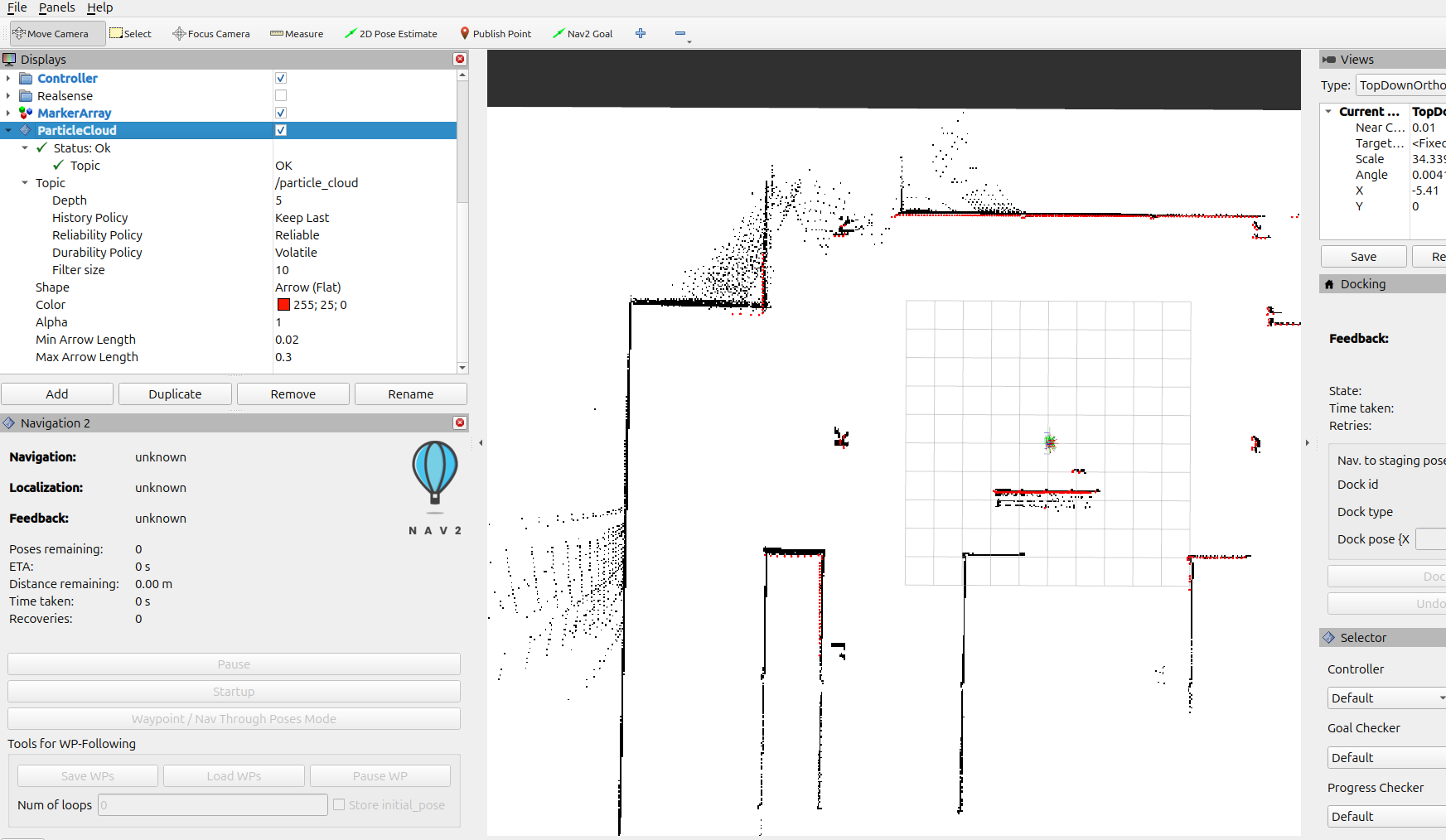
8. rviz2창에서 particlecloud를 추가해주자. (ros2 topic info /particle_cloud --verbose 퍼블러셔 1개 , 구독자 1개 )
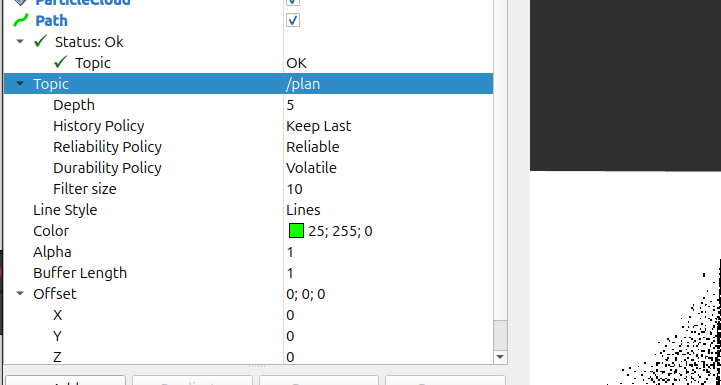
9. 로봇의 경로 정보인 /plan도 추가한다.
8. planner pkg를 만들어주자.
ros2 pkg create my_planner_pkg --build-type ament_python --dependencies rclpy nav_msgs geometry_msgs
9. pkg의 setup.py를 수정 ( entry_point 추가 )
entry_points={
    'console_scripts': [
        'my_planner = my_planner_pkg.my_planner:main',
    ],
},
10. my_planner.py를 작성
import rclpy
from rclpy.node import Node
from geometry_msgs.msg import PoseStamped, PoseWithCovarianceStamped
from nav_msgs.msg import Path
from rclpy.qos import QoSProfile, ReliabilityPolicy, HistoryPolicy, DurabilityPolicy

class SimplePlanner(Node):
    def __init__(self):
        super().__init__('simple_planner')
        self.current_pose = None

        # AMCL의 정확한 QoS 설정에 맞춰서 수정 (중요)
        amcl_qos_profile = QoSProfile(
            reliability=ReliabilityPolicy.RELIABLE,
            durability=DurabilityPolicy.TRANSIENT_LOCAL,
            history=HistoryPolicy.KEEP_LAST,
            depth=10
        )

        # AMCL의 위치(/amcl_pose)를 명확히 수신하는 Subscription
        self.create_subscription(
            PoseWithCovarianceStamped, '/amcl_pose', self.amcl_pose_callback, amcl_qos_profile)

        # Goal 위치를 수신하는 Subscription
        self.create_subscription(
            PoseStamped, '/goal_pose', self.goal_callback, 10)

        # 생성한 경로를 발행하는 Publisher
        self.path_pub = self.create_publisher(Path, '/plan', 10)

        self.get_logger().info('Simple Planner 노드 실행중!')

    def amcl_pose_callback(self, msg):
        # 로봇 위치를 정확히 수신했는지 확인용 메시지 (디버깅)
        self.get_logger().info(
            f"amcl_pose 수신됨: x={msg.pose.pose.position.x}, y={msg.pose.pose.position.y}")

        # 현재 로봇 위치 정보 업데이트
        self.current_pose = msg.pose.pose

    def goal_callback(self, msg):
        if self.current_pose is None:
            self.get_logger().warn('로봇의 현재 위치를 아직 받지 못했습니다.')
            return

        # 목표 위치를 받았음을 알림 (디버깅)
        self.get_logger().info(
            f'Goal received: ({msg.pose.position.x}, {msg.pose.position.y})')

        path_msg = Path()
        path_msg.header.frame_id = 'map'
        path_msg.header.stamp = self.get_clock().now().to_msg()

        # 출발점 추가 (현재 로봇 위치)
        start_pose = PoseStamped()
        start_pose.header.frame_id = 'map'
        start_pose.pose = self.current_pose
        path_msg.poses.append(start_pose)

        # 직선 경로 생성 (현재 로봇 위치에서 목표 위치까지 20단계로 나누어 직선 생성)
        steps = 20
        for i in range(1, steps + 1):
            intermediate_pose = PoseStamped()
            intermediate_pose.header.frame_id = 'map'
            intermediate_pose.pose.position.x = start_pose.pose.position.x + \
                (msg.pose.position.x - start_pose.pose.position.x) * i / steps
            intermediate_pose.pose.position.y = start_pose.pose.position.y + \
                (msg.pose.position.y - start_pose.pose.position.y) * i / steps
            intermediate_pose.pose.orientation.w = 1.0
            path_msg.poses.append(intermediate_pose)

        # 최종 경로 발행
        self.path_pub.publish(path_msg)
        self.get_logger().info('Path published!')

def main():
    rclpy.init()
    node = SimplePlanner()
    rclpy.spin(node)
    node.destroy_node()
    rclpy.shutdown()

if __name__ == '__main__':
    main()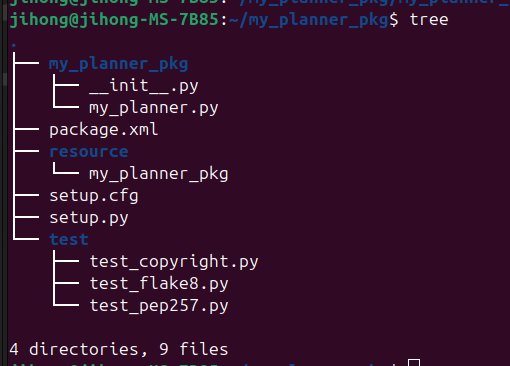
11. build후에 source하기.
colcon build --symlink-install
source install/setup.bash
12. 패키지 실행
ros2 run my_planner_pkg my_planner
13. goal pose 지정
ros2 topic pub -1 /goal_pose geometry_msgs/msg/PoseStamped '
header:
  frame_id: "map"
pose:
  position:
    x: 10.0
    y: 10.0
    z: 0.0
  orientation:
    x: 0.0
    y: 0.0
    z: 0.0
    w: 1.0'
14. /goal_pose추가
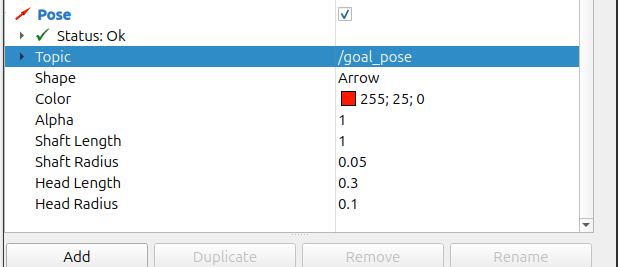
16. rviz2창을 확인해보자....
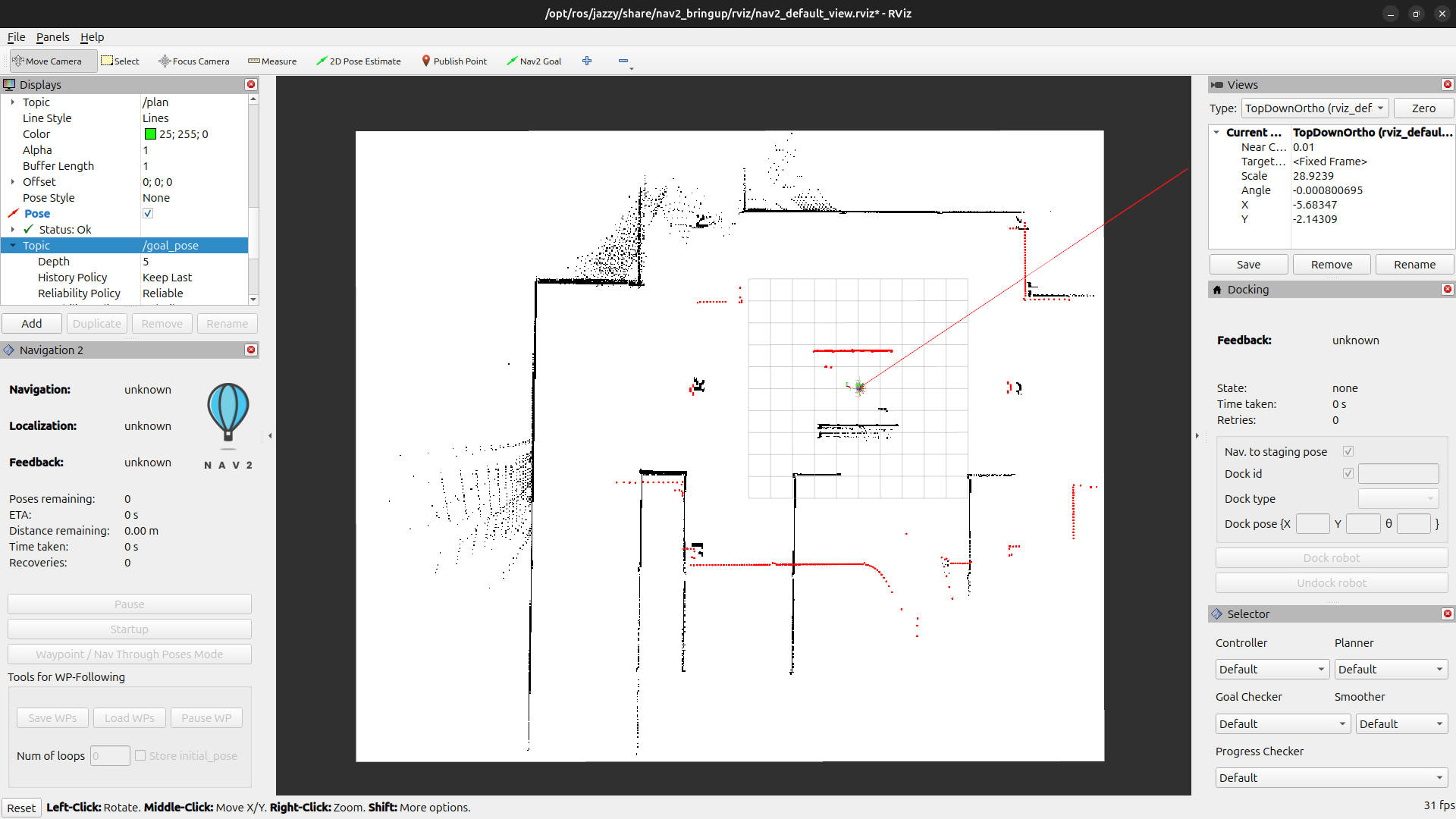
위에 까지 하면 크게 3가지 오류가 발생할것이다.
1. gazebo 터틀봇 실행하는 런치파일 터미널
- 이는 diffdrive controller시간 경고이다.
- 이는 gazebo와 ros2가 동기화 하는 과정에서 시간이 미세하게라도 불일치시 이러한 경고가 나온다.
[gazebo-1] [WARN] [1743122497.957453181] [diffdrive_controller]: Ignoring the received message (timestamp 593.1270000000) because it is older than the current time by 0.5010000000 seconds, which exceeds the allowed timeout (0.5000)
2. AMCL노드의 QoS ( quality of service )경고
[WARN] [amcl]: New subscription discovered on topic '/particle_cloud', requesting incompatible QoS.
3. BT navigator 활성화 에러
[INFO] [bt_navigator]: Action server is inactive. Rejecting the goal.
13. 우선 이렇게 뜨는지 확인하기
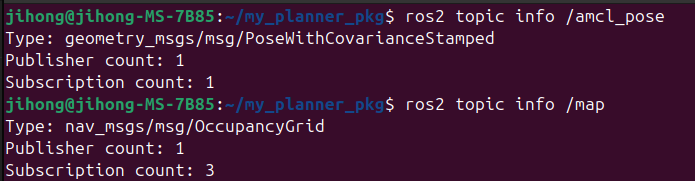
14. 아래 실행했던거 종료후 다시 키기
ros2 run nav2_map_server map_server --ros-args -p yaml_filename:=$(pwd)/my_map.yaml -p use_sim_time:=true
# 위에꺼 종료시키고 다시 실행

ros2 run nav2_amcl amcl --ros-args --params-file $(ros2 pkg prefix turtlebot4_navigation)/share/turtlebot4_navigation/config/nav2.yaml -p use_sim_time:=true


ros2 lifecycle set /amcl configure
ros2 lifecycle set /amcl activate
15. 확인
