리눅스/ansible
ansible playbook-1
정지홍
2024. 8. 11. 01:23
- playbook은 host와 task를 연결한다.
- 호스트는 inventory에서 가져오고, playbook에서 task를 지정하여 작업을 진행…
- 즉, 호스트에게 무엇을 하게 할지 작성해놓은 파일.
- 탭을 쓰면 안됨.
# 문법 체크
ansible-playbook -i ./inventory --syntax-check fileName.yaml


# inventory.yaml을 호스트로 playbook.yaml을 실행
ansible-playbook -i inventory.yaml playbook.yaml- role: 여러 task들을 한 곳에 두어서 role로 만들고 여러번 사용하게 하는 형태로 구성하는 것이 가능.
- when : 특정 상황에서만 작업을 처리할 수 있게 함.
- tag : 필요한 작업만 처리 혹은 제외시킬수 있음+
- templates : 설정파일
- vars : 변수 추가
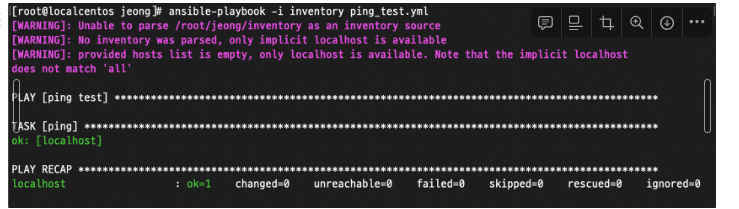
# ping test
# name은 작업을 설명하는 식별자
# hosts는 작업 대상 호스트
# gather_facts는 작업 시작 전에 호스트의 자원 정보 facts수집 여부
# tasks는 작업 목록. 순차적으로 실행됨
[root@localcentos jeong]# cat ping_test.yml
---
-  name: ping test
   hosts: localhost
   gather_facts: false
   tasks:
   - name: ping
     ping:
...
[root@localcentos jeong]# cat file_module_test.yaml
---
-  name: touch files test
   hosts: localhost
   gather_facts: false
   tasks:
   - name: create dir
     file:
      path: ~/ansibleDir
      state: directory
   - name: touch file
     file:
      path: ~/ansibleDir/ansibleTxt.txt
      state: touch


# 생성됨
[root@localcentos ansibleDir]# ls
ansibleTxt.txt
[root@localcentos ansibleDir]# pwd
/root/ansibleDir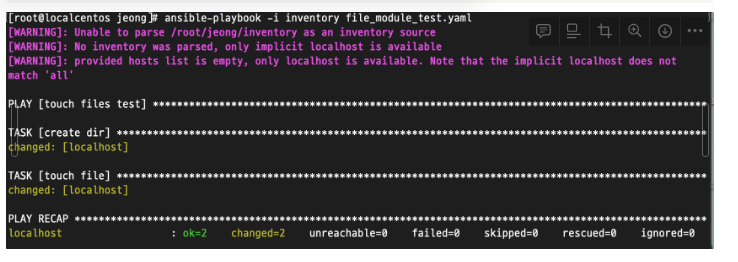
조건을 만족할시에 실행하는 예제
[root@localcentos jeong]# cat file_module_test2.yaml
---
-  name: touch files test
   hosts: localhost
   gather_facts: yes
   tasks:
   - name: create dir
     file:
      path: ~/ansibleDir2
      state: directory
   - name: touch file
     file:
      path: ~/ansibleDir2/ansibleTxt.txt
      state: touch
     when:
      - ansible_distribution == "CentOS"
      - ansible_distribution_major_version == "7"
      - ansible_os_family == "RedHat"
[root@localcentos jeong]# cat delUser.yaml
---
- hosts: all
  tasks:
    - name: Add user
      ansible.builtin.user:
        name: testUserr
        shell: /bin/bash
        groups: admins
        append: yes
    - name: Remove user
      ansible.builtin.user:
        name: testUserr
        state: absent
        remove: yes